
What Is a Location Plan for a UK Planning Application?
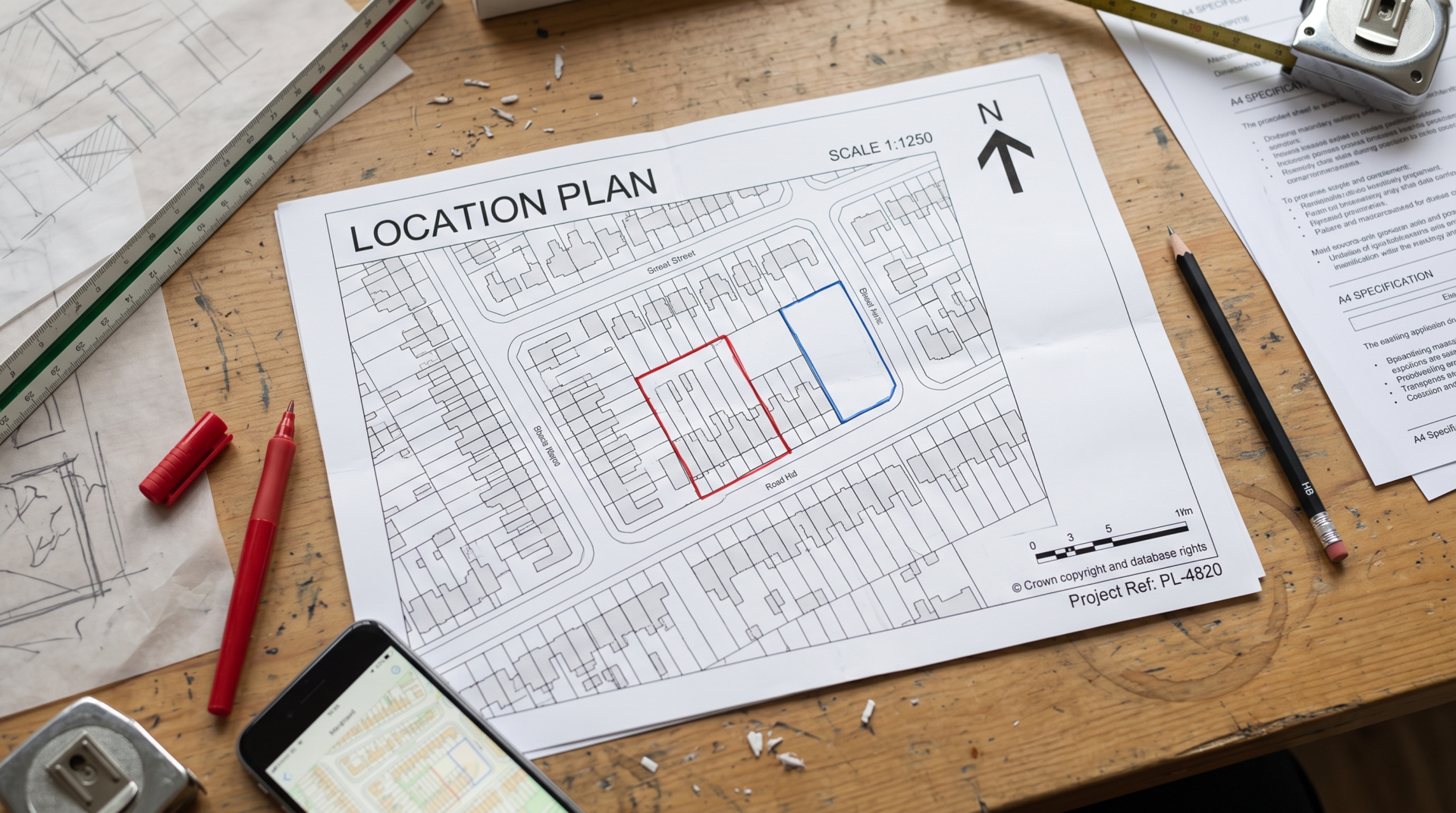
| A location plan is a scaled Ordnance Survey map -usually 1:1250 or 1:2500 -submitted with a UK planning application to show a site in relation to its surroundings. It must include a north point, scale bar, and the application boundary outlined in red, with any additional owned land outlined in blue. |

That’s the short version. If you’re an architect, contractor, or agent who needs to actually get one approved rather than just understand it in theory, here’s everything that sits underneath it.
What Is a Location Plan?
A location plan -sometimes called a site location plan -is the map that tells a planning officer “this is the site, and this is what’s around it.” It’s not a technical drawing of the building itself -that’s what a site plan is for. A location plan’s only job is orientation: giving the case officer enough context to find the site on the ground without a site visit.
It needs to be based on current Ordnance Survey mapping, not a hand-drawn sketch or a screenshot pulled from a map app. Most UK planning application maps used for this purpose come from licensed OS data specifically because councils need to trust the mapping is accurate and up to date, in line with Planning Portal’s guidance on buying a planning map.
One thing worth flagging early: a location plan is not the same document as a lease plan, even though both are technically “plans” involving property boundaries. A lease plan defines what’s being leased for legal purposes; a location plan supports a planning application. Confusing the two is a common mistake we see, especially from people handling their first application without an agent -we go into more depth on the difference between a title plan and a lease plan if that distinction is also unclear.
What Does a Location Plan Need to Show for a Planning Application?
This is where most rejections happen, and most of it comes down to a handful of fixed requirements set out in GOV.UK’s guidance on making a planning application and reflected in most local planning authorities’ validation checklists.
Scale and orientation
Location plans for planning applications are almost always drawn at 1:1250 for typical urban plots or 1:2500 for larger or rural sites. The plan needs a clear north point and a scale bar -without both, it’s technically non-compliant even if everything else is correct.
Red line and blue line boundaries
The application site itself must be outlined in red, as set out in Planning Portal’s location plan guidance. This isn’t optional stylistic convention -it’s the standard the entire UK planning system works from. If you (or your client) own additional adjoining land that isn’t part of the application but is nearby, that gets outlined in blue.
Surrounding context
A location plan for planning permission should show enough of the surrounding street network for the site to be locatable -typically at least two named roads, plus nearby buildings.
Format
Fitted to A4 or A3, submitted as PDF (or CAD formats like DWG/DXF for professional use), never as a screenshot.
Here’s how that breaks down at a glance:
| Requirement | Typical standard |
| Scale | 1:1250 (urban) or 1:2500 (rural/larger sites) |
| Orientation | North point + scale bar |
| Site boundary | Outlined in red |
| Other owned land | Outlined in blue (if applicable) |
| Surrounding context | At least two named roads + nearby buildings |
| Paper size | A4 or A3 |
| Base data | Licensed Ordnance Survey mapping |
If any one of these is missing, many local planning authorities will treat the application as invalid before an officer even assesses the actual proposal -which means the review clock hasn’t started at all, it’s just sitting in a validation queue.
Location Plan vs. Site Plan: What’s the Difference?
This is the question we get asked most often by first-time applicants, and it’s genuinely confusing because both documents are “plans” of the same property.
A location plan shows context -the site within its wider surroundings, at 1:1250 or 1:2500. A site plan for planning permission (sometimes called a block plan) shows detail -the proposed development within the site boundary itself, at a much closer site plan scale, typically 1:100, 1:200, or 1:500.
The location plan answers “where is this?” The site plan answers “what exactly is being built, and where does it sit within the boundary?” Almost every UK planning application needs both site plans for planning applications submitted as two separate drawings -one doesn’t substitute for the other, no matter how detailed it is.
We’ve worked through similar “which plan do I actually need” confusion with title plans versus lease plans -it’s a recurring pattern across property documentation generally, not unique to planning applications.
Can I Get a Free Location Plan, or Draw My Own?
Technically, yes. You can create your own location plan for free using OS-licensed data if you have access to it and the drawing skills to lay out the red line, north point, and scale bar correctly. What you can’t do is use a Google Maps screenshot, a hand sketch, or outdated mapping and expect it to be accepted -these get flagged and rejected consistently.
The most common causes of rejection we see:
- Outdated base mapping that doesn’t reflect recent nearby development or demolished structures
- Missing or incorrect scale bar
- No north point
- Red line drawn imprecisely around the wrong boundary
- Plan doesn’t fit standard A4/A3 sizing when printed
If you’re comfortable with CAD or GIS software and have legitimate access to current OS MasterMap data, a DIY location plan is genuinely achievable. If you’re doing this for a client, or you only have one shot at getting the application validated on time, the cost of a professionally prepared plan is usually small relative to the delay caused by a rejected submission. We cover a very similar cost-versus-DIY trade-off in our guide to drawing your own lease plan, and the logic holds here too.
When You Need More Than a Location Plan
A compliant location plan gets your application past the validation stage. It doesn’t tell you whether the application will actually succeed, and there are several situations where relying on a location plan alone -without a proper survey -causes problems later in the process:
- Listed buildings and conservation areas, where planning officers expect far more precise context than a standard 1:1250 map provides
- Boundary uncertainty, particularly on older properties or informally subdivided plots, where the “obvious” boundary on OS mapping doesn’t match what’s on the ground
- HMOs and change-of-use applications, which often need supporting floor plans in addition to the location and site plans
- Commercial premises, where lease boundaries, party walls, or shared access routes need to be verified against physical measurements, not just mapped data
In these cases, a measured site survey resolves ambiguity that a location plan simply isn’t designed to capture. It’s a different document doing a different job -but the two often need to work together.
Location Plans for Planning Applications in London
The national baseline -1:1250/1:2500 scale, red line boundary, north point -applies everywhere in England, including London. What changes is how strictly and specifically individual boroughs apply it. Each London borough publishes its own validation checklist as a Local Planning Authority, and some ask for additional context (extra named roads, specific labelling, or particular file formats) beyond the national minimum. Before submitting, it’s worth checking the specific borough’s checklist rather than assuming a plan that satisfied one council will automatically satisfy another.
FAQs
Do I need a location plan for every planning application?
Almost all UK planning applications require a location plan as a minimum supporting document, since it’s how the local authority identifies the land the application relates to.
What scale should a location plan be -1:1250 or 1:2500?
1:1250 is standard for typical residential or urban sites. 1:2500 is used for larger or rural sites where the property wouldn’t fit legibly at the smaller scale.
Can I use a Google Maps screenshot as a location plan?
No. Councils require licensed Ordnance Survey mapping data, not screenshots from consumer map services, and screenshots are a common reason for application invalidation.
Is a location plan the same as a site plan?
No. A location plan shows the site in its wider context at 1:1250/1:2500; a site plan (block plan) shows the proposed development in detail at 1:100–1:500. Most applications need both.
How long is a location plan valid before a council considers it outdated?
There’s no single fixed expiry, but the plan should reflect current conditions on the ground. If significant nearby development has happened since the mapping was generated, a local planning authority can reasonably ask for an updated plan before validating the application.
Our Take
Most rejected location plans we’re asked to fix aren’t wrong in an obvious way -they’re wrong in a small, specific way that a case officer catches instantly and a non-specialist wouldn’t think to check. A boundary drawn a metre off. A scale bar that’s technically present but doesn’t match the stated scale after resizing for print. Base mapping that’s a year out of date because it was reused from an earlier project on the same street.
That’s the gap between “I can make a location plan” and “I can make one that survives validation on the first submission.” As measured surveyors and CAD technicians working across London and the wider UK, we build location plans directly from current OS data and check them against the specific site before they go out -the kind of plans and drawings we produce for clients are in our project portfolio.
If you’re preparing a planning application and want the location plan handled properly the first time, get in touch and we’ll check it before submission rather than after a rejection resets your timeline. And if the site itself has boundary uncertainty or falls into a conservation area or listed building, our measured site survey service covers the ground a location plan alone can’t.

